Presentation
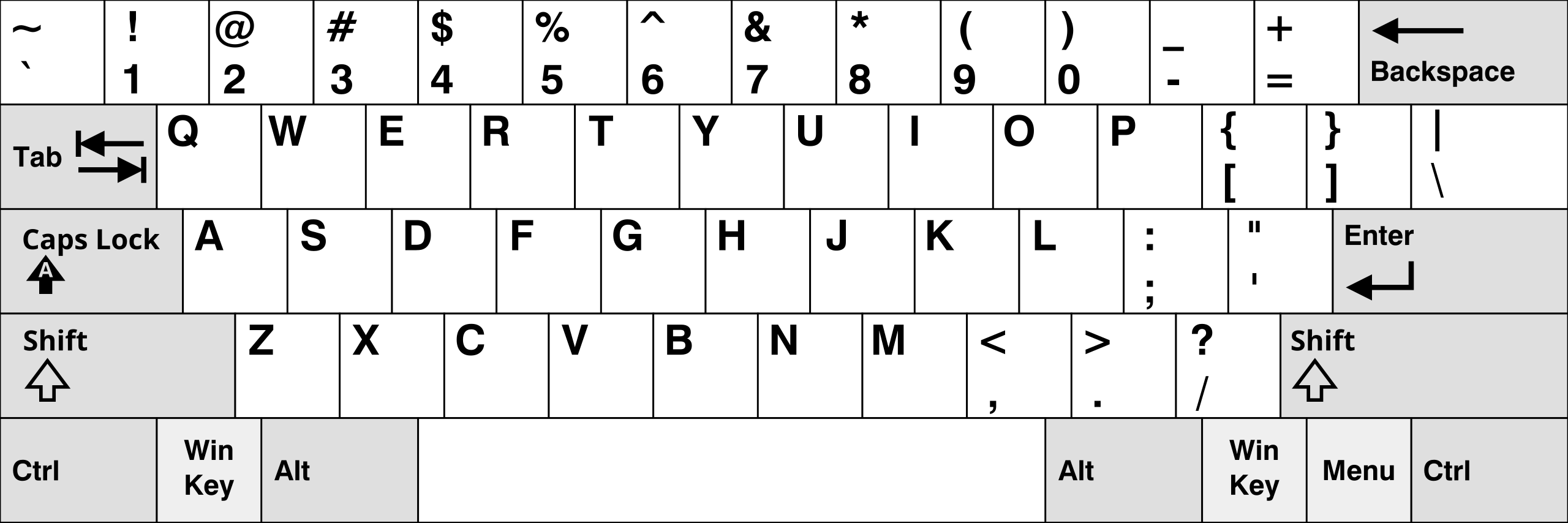
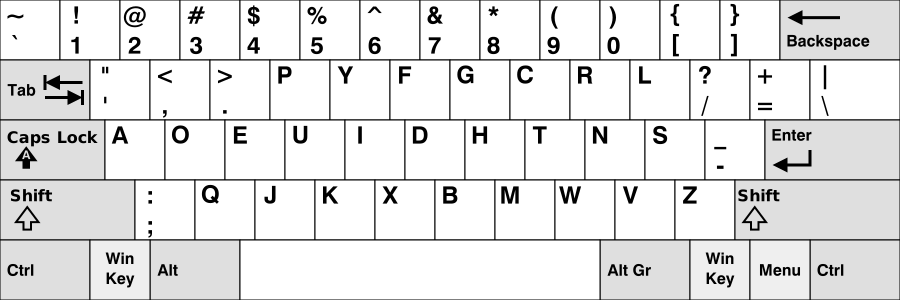
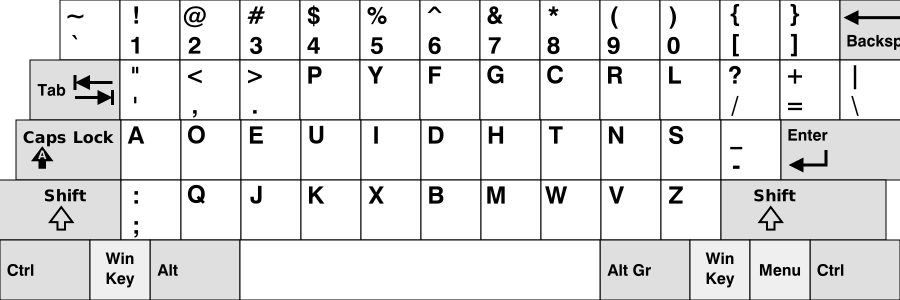
Dvorak is a re-arangement of the US Qwerty layout.
Which means all symbols pair on all keys are absolutely identical to us-layout, but most keys are relocated.
Purpose
It was created in an attempt to improve the comfort and the efficiency when typing by reducing the movement of fingers.
Method
It acheive this by cleverly placing the keys on the layout depending on how often a letter is present in english texts.
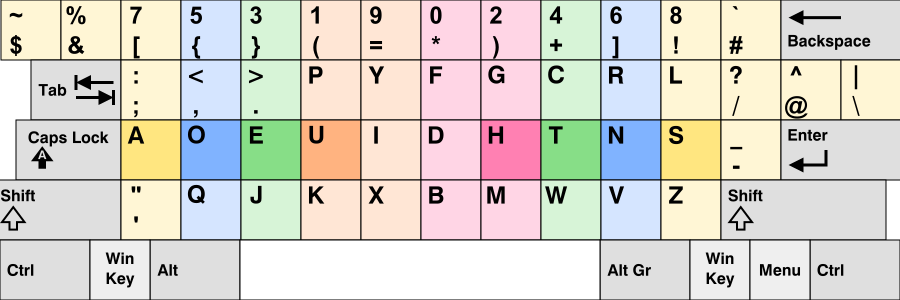
Basically it avoids you to have to leave the "home-row" too often and it encourages Left/Right hand alternance.
All the voyels and punctuations are on the left side
Most consonants on the right side
Feeling
You almost always type each following letter in a word with the other hand.
It's keep going back and forth and rarely leaving the home row
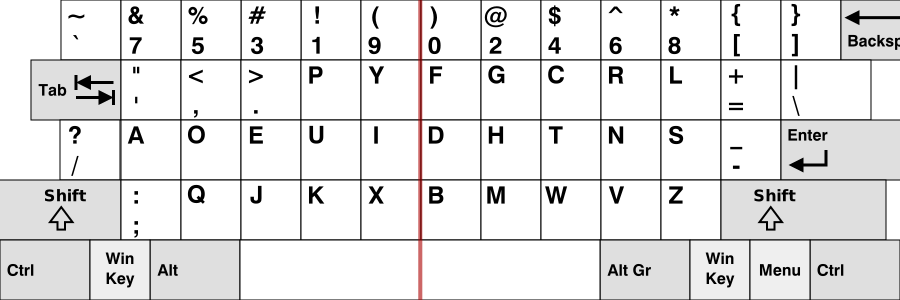
I got inspired by a layout called "programer's Dvorak" which separate numbers in two groups : odd and even.
But I didn't liked how they changed symbols...
Touch-typing and Ergonomics
I firmly beleive practicing it without using the touch-typing method is uselessly harder and defeat the purpose.
Here a link to learn it in 2 to 3 weeks by 1h per day (comming soon).
Easiest to learn with ortholinear keyboards
Ortholinear Keyboards have a orthogonal matrix shape with linear columns, perfectly aligned instead of staggered columns like on standards keyboards
Why ?
It's easier for the fingers to travel on and find the correct position when trying to touch-type, and it leads to less pain if you've been fast touch-typing heavily for too long.
But it is still perfectly OK to touch type on standard keybords once you've learned it on an ergonomic one.
Tips for new learners
A tip to help you avoiding to return to old habits when trying to learn a new layout is to learn it on an ergonomic keyboard without letters printed on !
I never liked "by heart" learning when I was young, especially when there is no logic behind. I asure you that learning a new keyboard layout is easier that you may think if you do it the right way :
muscle memory will do all the work for you without you even notice it.
From now on I will use Ortholinear representation to show the keymaps.
It is for clarity when looking at how they are designed.